Legal Ease
Legal Ease is a Streamlit prototype for reading a PDF or image, producing a Gemini-assisted summary, and asking follow-up questions about the uploaded document. It is an experiment in making dense legal text easier to inspect, not a substitute for professional legal advice.
What the prototype demonstrates
- Uploading PDF, PNG, JPG, or JPEG documents
- Generating a structured summary of parties, obligations, clauses, and risks
- Asking follow-up questions through a document-aware chat interface
- Selecting a Gemini model or supplying a separate Gemini API key
The implementation is available in the Legal Ease repository. For a fixed reference, the page also links to the source snapshot used for this project record.
Interface and recorded output
Upload and chat workspace
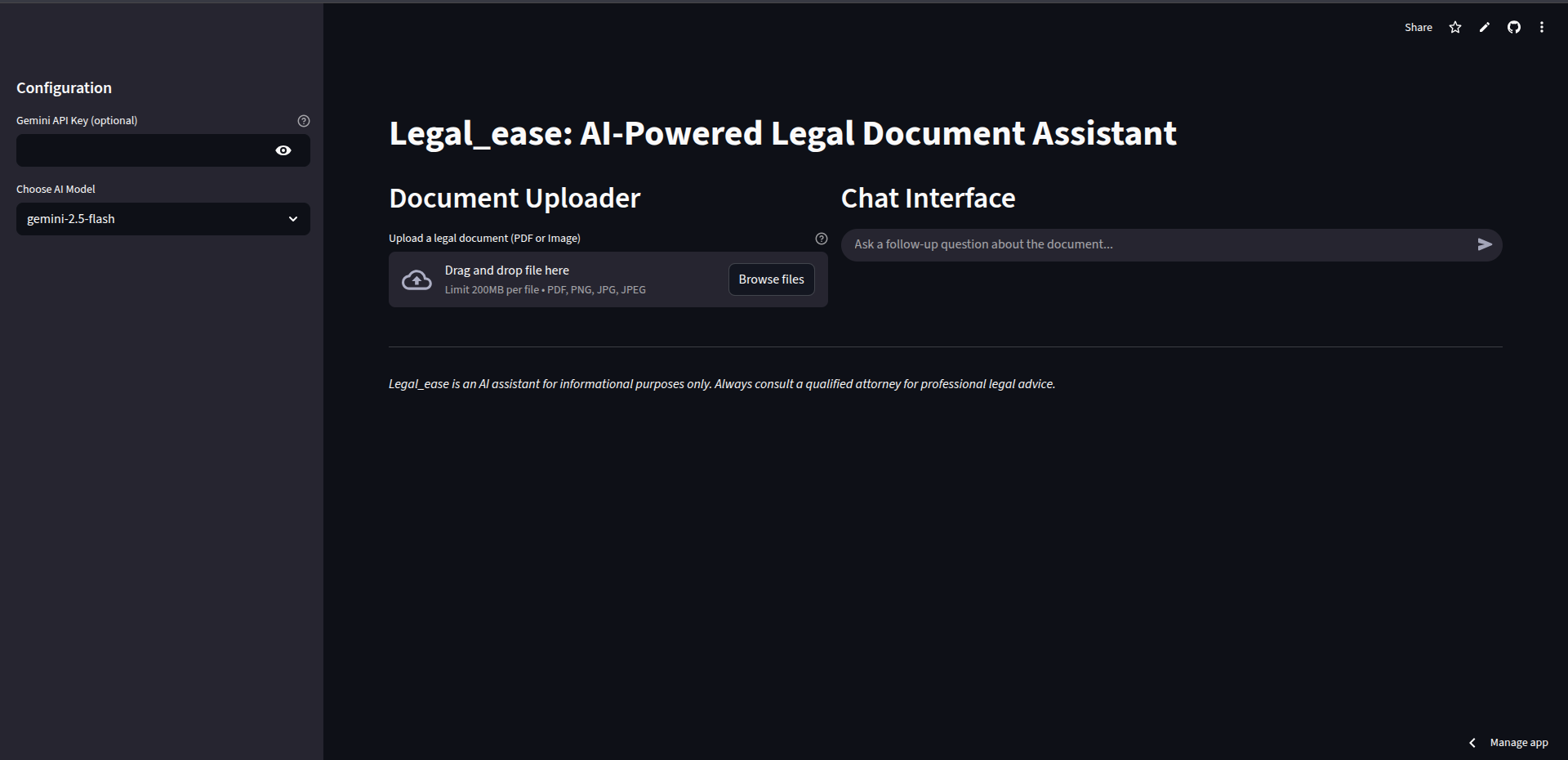
The prototype places document upload and preview on the left, with the generated summary and follow-up conversation on the right.
Example document summary
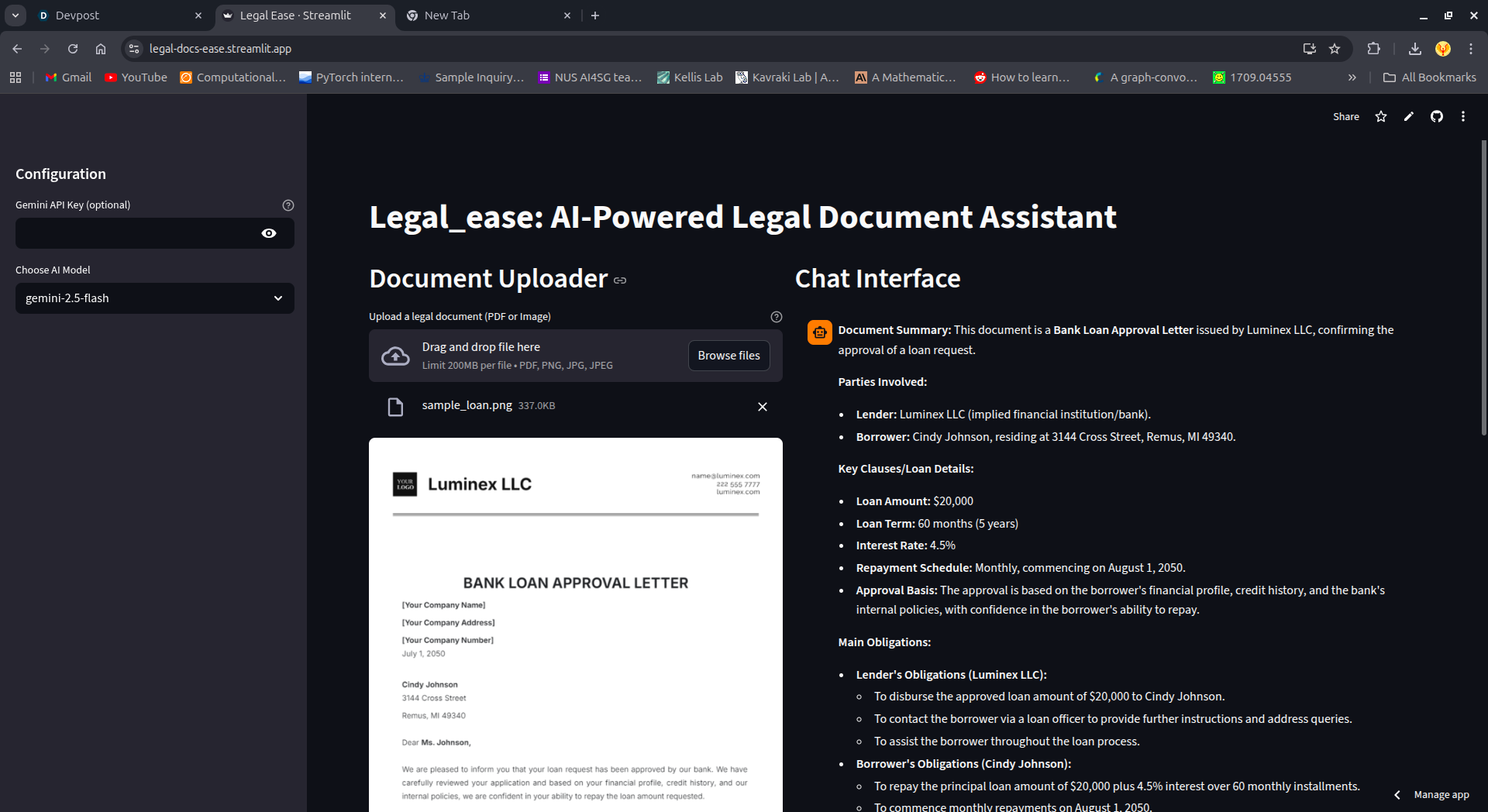
This recorded run shows a sample loan approval letter next to a summary organised around the parties, loan terms, obligations, and risks.
Follow-up question
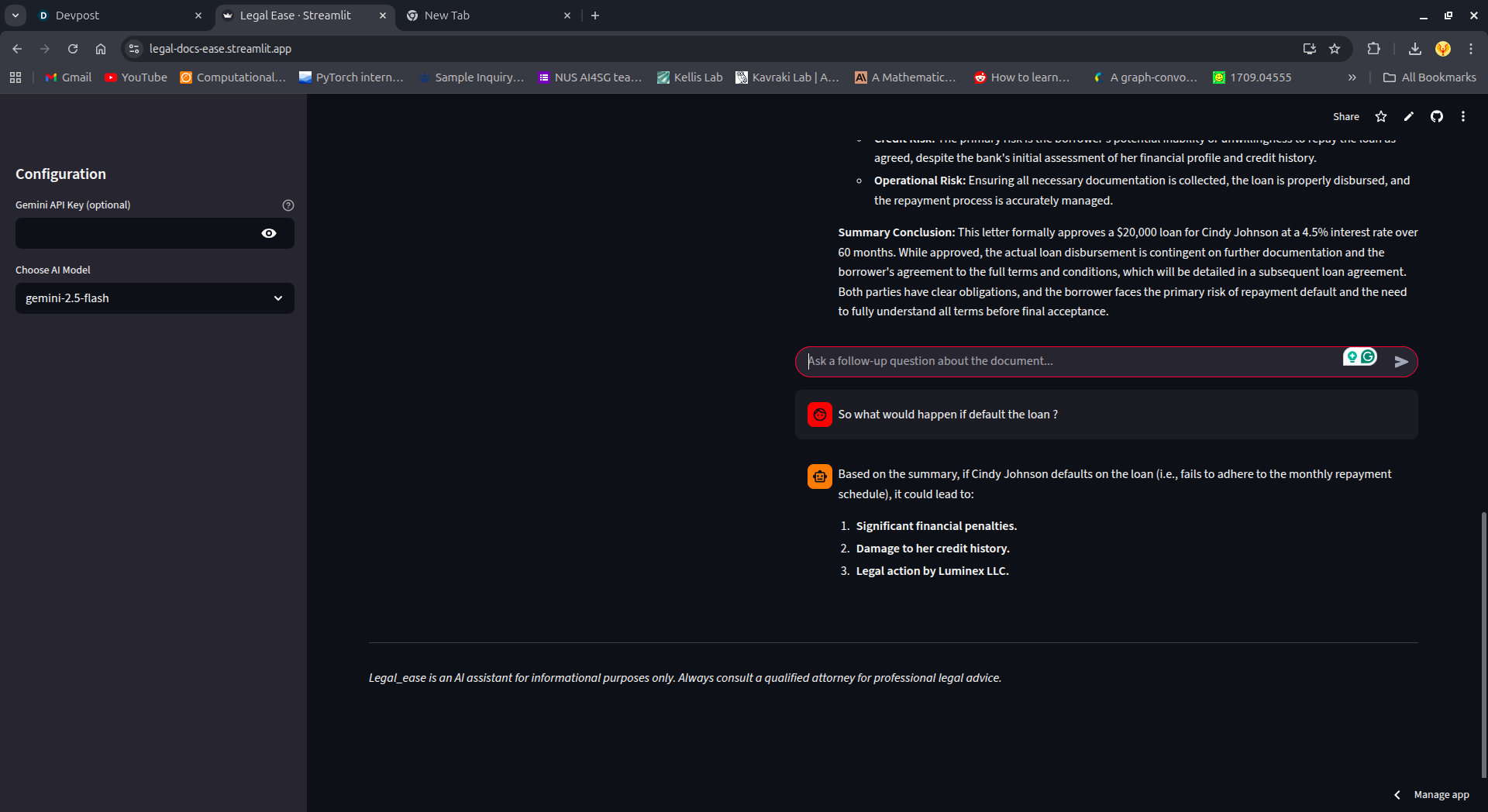
After summarisation, the chat keeps the document context so the reader can ask a narrower question about the recorded example.
Demo availability and fallback
The original Streamlit deployment at legal-docs-ease.streamlit.app currently redirects to a Streamlit sign-in page instead of opening the app publicly. The address is recorded here for transparency, but it is not presented as a working proof link.
You can inspect the working evidence without relying on that service:
- Watch the recorded project walkthrough
- Browse the implementation on GitHub
- Review the three locally hosted screenshots above